Anime Tesla Wraps: Digital Design Ideas for Model 3 & Model Y
Create an anime-inspired Tesla digital wrap with readable characters, balanced side graphics and the right UV template. Includes prompt examples and placement diagrams.
An anime Tesla wrap for Paint Shop is a character-inspired image mapped onto the car’s digital model. It changes the vehicle visualization, not the real bodywork. A readable result depends less on filling every panel and more on giving the main character enough uninterrupted space.
If you searched for an anime car wrap or an itasha-style Tesla, first decide which result you want. This guide covers the digital PNG workflow for Model 3 and Model Y, not vinyl printing, installation or physical-wrap pricing. You can browse the Model 3 gallery and Model Y gallery before designing; finished anime artwork is not guaranteed to be available for every version.
Choose the composition before choosing every detail
A character face, decorative lettering, flowers, speed lines and a scenic background all compete for a small viewing area. Start with one focal element and one supporting pattern. Add detail only after the design reads clearly in a vehicle preview.
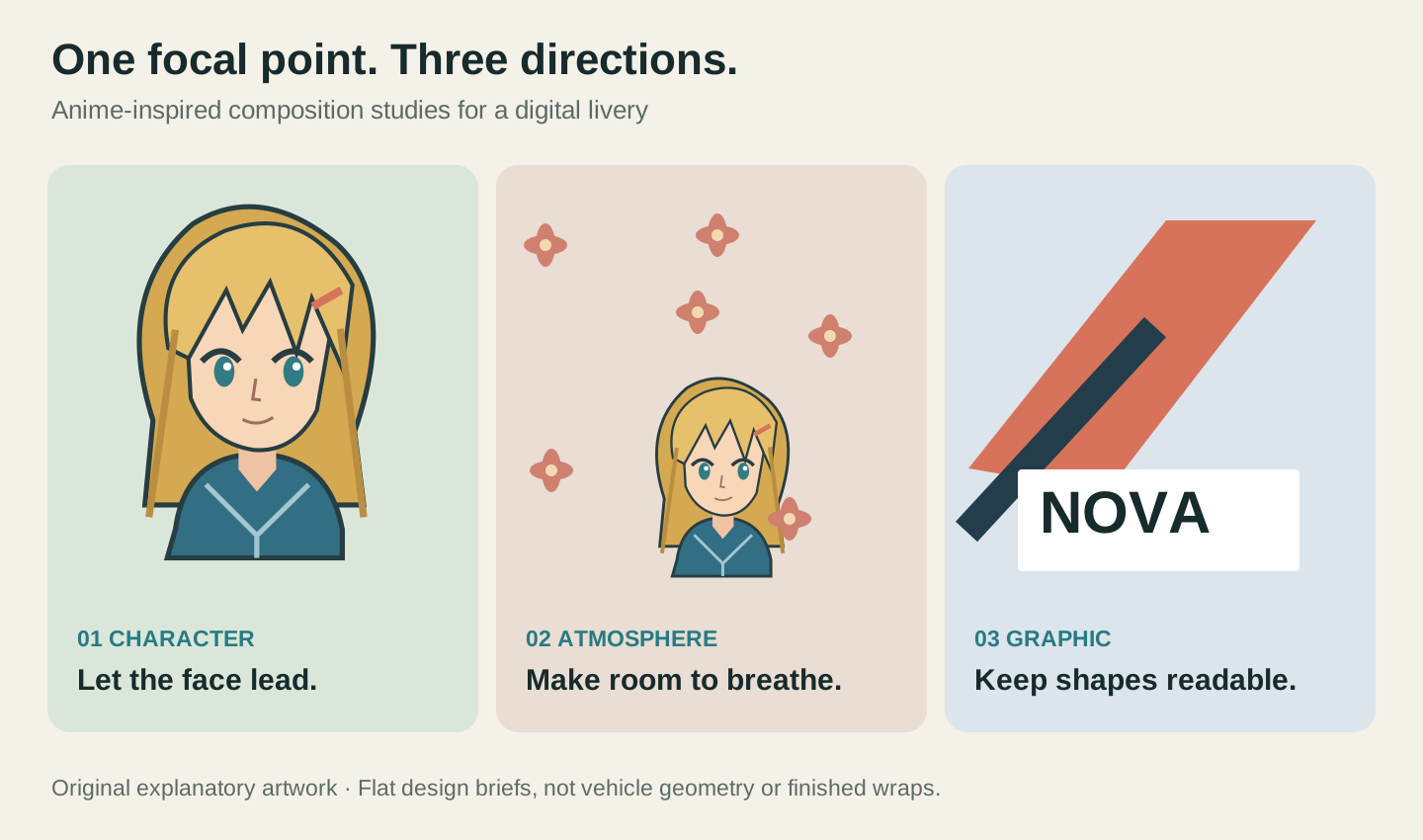
Three directions make useful starting briefs:
- Character-led: a large portrait, a quiet base color and a small number of accents. Protect the face before adding accessories or scenery.
- Atmosphere-led: cherry blossoms, clouds or a night-sky palette provide the theme, with a smaller original emblem as the focal point. This gives you more flexibility around narrow panels.
- Graphic-led: strong color blocks, manga-style energy lines and a clear area for short lettering. This can remain recognizable when the on-screen vehicle is small.
None is a requirement to cover the entire car in a portrait. Sometimes a restrained hood graphic and a repeated side accent communicate the idea more clearly than several competing characters.
Give the face a home on a broad painted area
A flat poster has no body-panel boundaries. A Tesla texture does. The hood and broad side regions are useful places to establish a subject, but neither should be treated as a guaranteed seamless rectangle. Inspect the exact template and the vehicle preview before deciding how large the character can be.
Keep hair, eyes, chin and essential accessories together. Avoid using the edge of a UV island as the crop line for a face. Leave enough room around the subject to absorb small placement adjustments; a background can continue across a boundary more gracefully than an eye or a word.
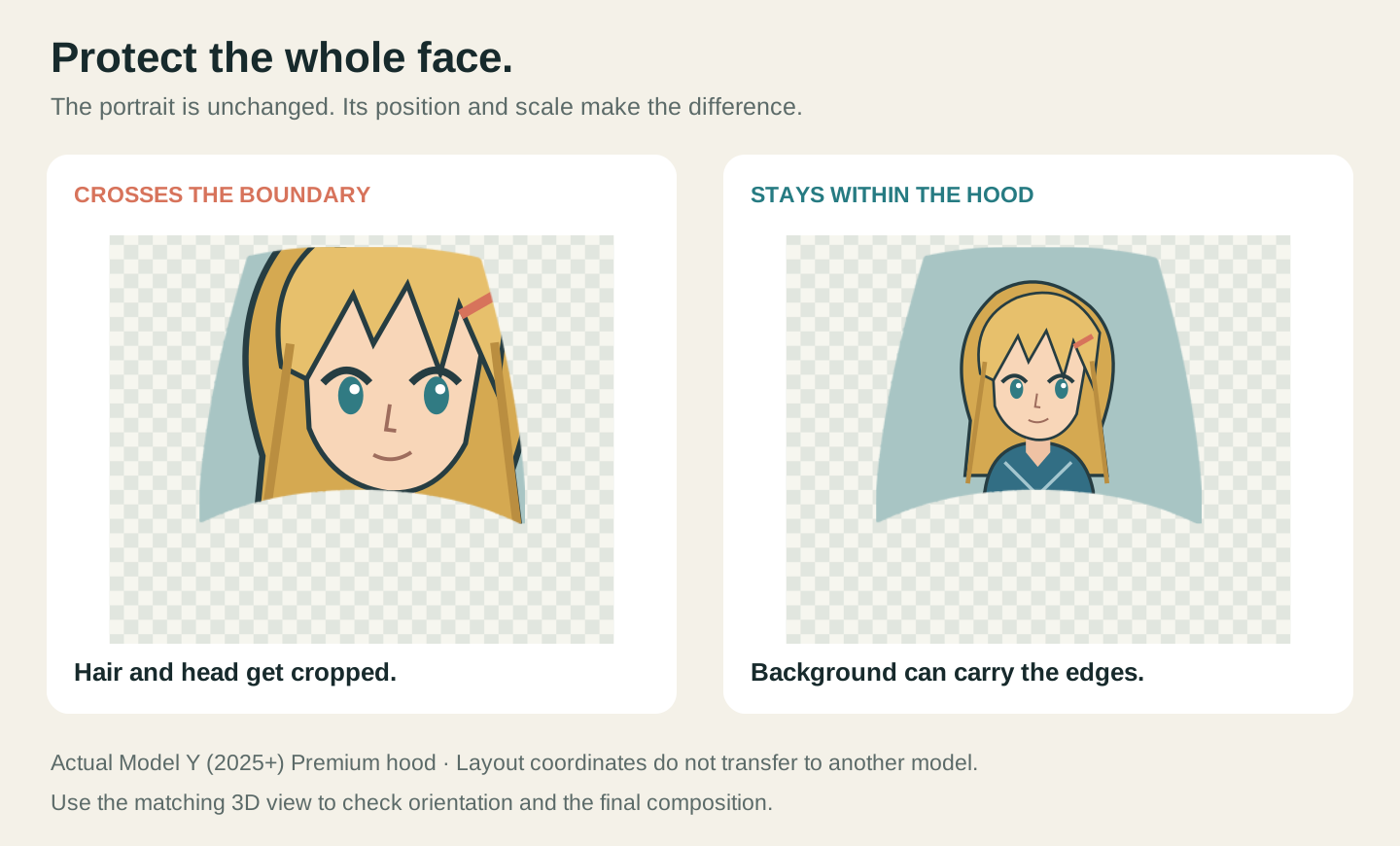
The illustration uses one specific Model Y hood region. Its coordinates are not a placement recipe for other models. For a different vehicle, start again with the matching layout. If the disconnected shapes are unfamiliar, read what a Tesla UV layout is before trying to stretch a portrait over the whole sheet.
Windows, wheels and lights are not extra space for your main character in our vehicle preview. Similarly, the large empty middle of a flat template should not be interpreted as a painted roof panel just because it sits at the center of the image.
Make the two sides related, not blindly mirrored
A balanced livery can repeat the palette, line weight and subject scale on both sides. That does not mean flipping the entire texture horizontally. A flip can reverse words or an asymmetric emblem, and the two sides may occupy differently oriented regions of the atlas.
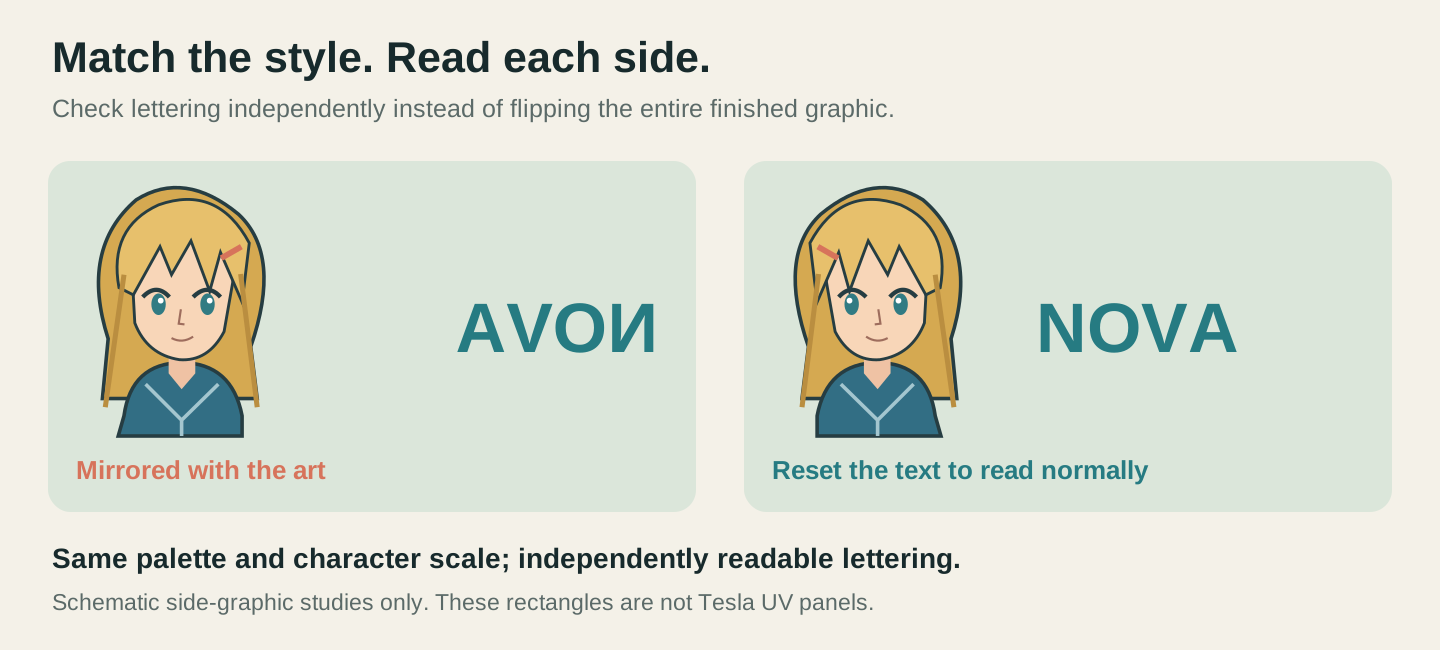
For a character with a distinctive hairstyle or outfit, decide whether you want two different poses or the same pose on each side. Either can work as a design choice. The technical check is whether each face and any lettering remain readable when viewed on the car. Do not infer that from how the two pieces look next to each other on the flat UV image.
Check the hood separately from the doors. The top of a UV image is not a universal instruction for which way a character should face. Use the actual overhead and side views, then rotate or reposition the artwork as needed.
Write a prompt that describes a livery, not just a poster
“Anime girl on a car” leaves most of the composition undecided. A useful prompt names the subject, palette, focal hierarchy and supporting graphics. Ask for one coherent design rather than a collage of unrelated elements.
Here are three starting briefs for an original character:
Anime-inspired Tesla digital livery with an original silver-haired space pilot, navy and ice-blue palette. Keep the complete face readable on a broad painted area. Use restrained orbit lines and small star accents elsewhere. Calm background, no lettering, no logos.
Original manga-style explorer with a teal jacket and short dark hair, warm cream base and coral accents. One clear portrait as the focal point, with sparse cherry-blossom petals as supporting graphics. Keep the face intact and leave breathing room around it.
Graphic anime-inspired racing theme, black and warm white color blocks with a red accent. Use bold angular energy lines and one small original helmet emblem. Avoid dense micro-detail, brand logos and generated text.
These are design briefs, not promises about exact AI placement. A model can interpret a subject differently or produce details you need to revise. Inspect the generated result on the chosen vehicle rather than assuming that more prompt instructions guarantee better mapping. If exact lettering matters, add it as a separate editable text layer instead of asking the image model to render it perfectly.
For a reference image, choose one where the main subject is clear. A screenshot containing several characters, borders and text can obscure which element you want to reuse. Use artwork you created or have permission to use; a reference is a design input, not evidence of ownership or franchise endorsement.
Build one version on the right Tesla template
Start with the Model 3 and Model Y version guide to select the generation and trim. In particular, do not assume that a Highland Performance design and a Highland Standard & Premium design share the same panel coordinates.
Then work through one simple version:
- Open the matching editor and sign in to use the design tools.
- Describe your brief or provide a suitable reference. The optional color preference can be left unselected when the prompt already specifies a palette.
- Inspect the generated design in the canvas and matching 3D preview. Check the face first, then the supporting pattern.
- Make changes to that version before generating a series of small variations. Save the editable project so you can return to it.
AI generation uses credits; check the displayed cost before submitting. Browsing the gallery is public, while downloads and editing require sign-in. Official Tesla gallery examples are free, and premium designs use a separate 2-credit unlock. A gallery unlock and an AI generation are different actions.
Judge the wrap at the size people will actually see
Zooming into a portrait can hide a composition problem: it looks excellent alone but disappears on the whole vehicle. Look at the complete car at normal preview size. Can you still identify the subject? Are the background accents supporting the character, or making it harder to see?
Before exporting, check the hood from above, both sides and the rear. Look for backward lettering, a face split across disconnected pieces, abrupt changes in background scale, or a narrow strip accidentally carrying an important facial feature. A passed image-file check cannot judge those choices for you.
Export the flat texture as a PNG, then use the Paint Shop PNG file checklist before following the phone or USB transfer guide. Tesla’s official custom-wrap repository is the reference for available templates and import requirements. Our browser preview helps with composition; the supported in-car visualization remains your final check.
The character and diagrams in this article are original explanatory artwork. They do not depict a licensed franchise, an AI result promised to every user, or a physical vinyl installation.